New booking system for food hubs
How to book a timeslot for a DCFA food hub
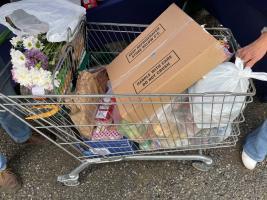
We’ve changed our booking system for the Devon and Cornwall Food Action food hubs at Okehampton Rugby Club.
Why have we done this?
Our previous system meant that time slots had to be allocated manually after bookings had closed. This took up to two days matching timeslots to requests, matching up attendees that were travelling together and deleting duplicate applications. This was not sustainable.
What’s different with the new system?
The new system allows bookers to select their own time slots and book multiple trolleys when they want the same time slot as friends and family they are travelling with.
The new system also creates an account for each person so the booker can check at any time what bookings are upcoming and maintains a history of past events. Through this account they can modify or cancel a booking. This greatly increases visibility of bookings and puts control of the booking in the hands of the booker.
Below are a series of screen shots from a test site for the new system along with detailed instructions of how to use it to book your visit
|
To book for the Okehampton food hubs go to www.bookwhen.com/rcokehampton
The page will display all upcoming food hub events in Okehampton that are open for booking. Select the time slot that you want for the session. The symbol
|
|
|
When a time is selected the screen will display confirmation of session selected and the number of spaces available. Clicking on the down arrow next to “Information” and “Location” displays further details of the event
Click on “Add to basket” next to “Standard trolley” or “Vegetarian trolley” and select the number of trolleys required. Note, multiple trolley can be booked. You will need to enter the attendees’ name for each trolley later in the booking
Scroll down and click on “View basket” |
|
|
Check that the basket shows the correct number and types of food trolleys required and click on “Book now” |
|
|
Enter your email address and click “Continue” |
|
|
A screen will display asking you to check your email address. If correct select “Confirm and continue” if not click “Edit” to correct your email address. |
|
|
Enter 1st attendee’s name, phone number and post code. Tick the box at the bottom of the screen to accept the terms and conditions
Scroll to the bottom of the screen and click “Continue”.
If you have booked more than one trolley this screen will reappear asking you to complete the attendee’s details for each trolley |
|
|
Complete the questions on the next screen for each attendee. Click “Continue” |
|
|
And that’s it!
The booker will get a confirmation message sent to their email address
This email includes a button that allows the booker to manage their booking after it has been made. This allows them to modify or cancel a booking if circumstances change |
|
 next to a time means that this slot is fully booked. Please select another time.


'What We Do' Main Pages: